Company Name: Dongguan Ouxin Precision Instrument Co., LTD
Contact: Mr. Liao
Telephone: 0769-85354748
Mobile phone: 13827267016
Email: 1002129373@qq.com
Add: No. 1, Hongmian 1st Road, Dabandi, Daining, Humen Town, Dongguan City

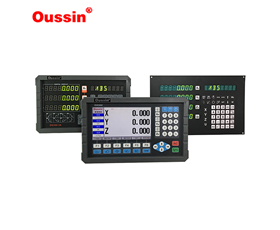
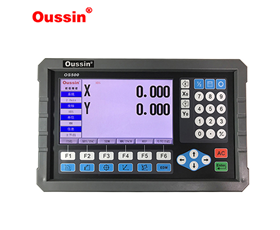
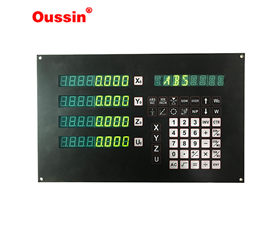
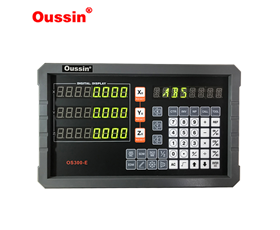
Specializing in the production and sales of grating rulers, digital displays, and magnetic grating rulers

Specializing in the production and sales of grating rulers, digital displays, and magnetic grating rulers

Company Name: Dongguan Ouxin Precision Instrument Co., LTD
Contact: Mr. Liao
Telephone: 0769-85354748
Mobile phone: 13827267016
Email: 1002129373@qq.com
Add: No. 1, Hongmian 1st Road, Dabandi, Daining, Humen Town, Dongguan City
1. Not displaying after power on
Possible reason: The auxiliary power supply is not connected to the instrument; Fault in power transformer or switch power supply
Solution: Use a multimeter to check the wiring of the auxiliary power supply and see if it has the corresponding working voltage; If there is a corresponding voltage, there may be a fault in the internal power supply or circuit of the instrument, and the manufacturer can be contacted for replacement.
2. The digital tube lights up but displays zeroPossible reason: No signal input
Solution: Check if the input signal wiring is correct and use signal input. If not, the customer should self check; If there is a fault with the preliminary judgment table (possibly due to poor soldering of the measurement chip pins or digital tube pins), please contact the manufacturer for replacement.
3. Flashing after power onPossible reasons: 1) Unstable signal; 2) There is a strong magnetic field interference source 3) meter malfunction: coil failure, chip virtual soldering, and other reasons.
Solution: According to national standards, display values are allowed to have 2-3 character jumps, but interval jumps are not allowed. Disconnect the auxiliary power supply; Test whether it exceeds the working voltage range; Test whether the input signal exceeds the rated value; Test whether the ambient temperature exceeds the upper limit of use; After testing and resolving the issue, power on the auxiliary power supply again.
4. Missing pen or displaying garbled text after power onPossible reason: The missing pen is mostly due to virtual soldering issues. Change the watch directly. Garbled code: 1. There is an interference source, such as the impact on the instrument caused by the closing of a large capacity switch, which causes the multimeter to enter the settings interface instead of garbled code. At this point, the instrument panel will recover within 30 seconds, or press SET to restore normal operation. 2. Chip failure: The chip failure rate is generally below one thousandth; 3. Chip virtual soldering or solder leakage.
Solution: If the former fails to communicate with the customer, replace the meter (by taking corresponding measures at the front end of the power supply), while for the latter two, replace the meter directly.
5. Inaccurate displayPossible cause: Mismatch in transformer ratio setting values
Solution: Check whether the transformation ratio set by the instrument is consistent with the transformation ratio of PT and CT; Are the rated values of voltage and current consistent.
6. No response to signal additionPossible reason: The signal was not input into the instrument panel
Solution: Test whether there is a signal at the instrument wiring terminal and whether the terminal connection is reliable.
7. Three phase instruments are missing phasePossible reason: The signal was not applied to the instrument panel
Solution: Test whether the wiring terminals have input signals and whether the terminals are correctly and reliably connected; The normally displayed one phase signal line can be connected to the missing phase signal for comparative testing.
8. Inaccurate measurement of electrical energyAll rights reserved by Dongguan Ouxin Precision Instrument Co., LTD
Mobile: 13827267016 Tel: 0769-85354748
Email: 1002129373@qq.com address: No. 1, hongmian 1st Road, dabandi, daining, humen town, dongguan city
Dongguan Ouxin Precision Instrument Co., Ltd. specializes in the production and sale of magnetic grating rulers, grating rulers, and grating digital display meters in Guangdong Province. Our company offers high-quality services. Welcome to call for consultation :13827267016